AI creative workflow for ecommerce ads: the 2026 playbook
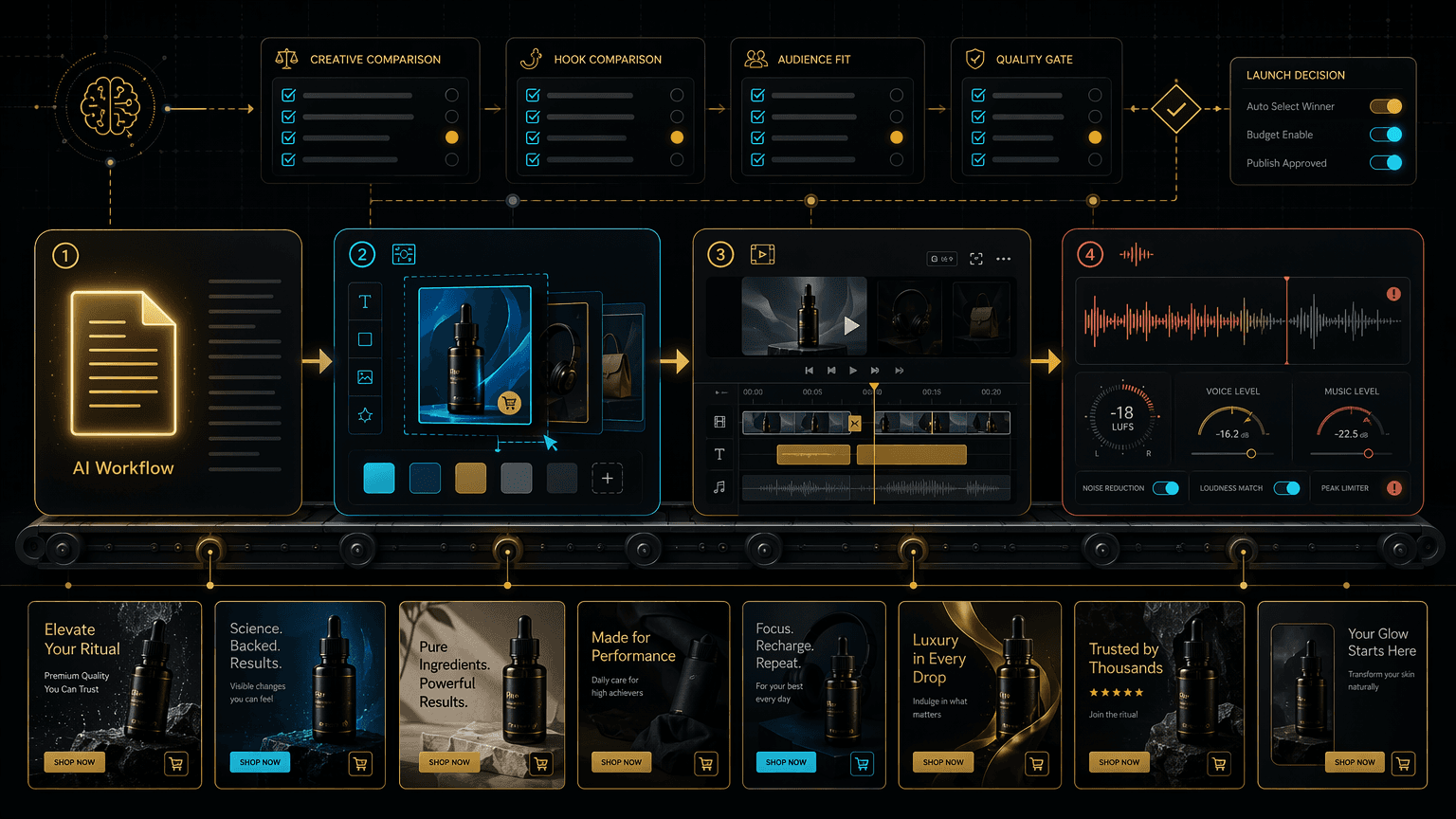
The AI creative workflow that ships 15 test-ready ecommerce ad variants per sitting: ChatGPT or Claude, Canva Pro, CapCut Pro, ElevenLabs, plus the rules.
One product, one sitting, fifteen test-ready ad variants. Here is the exact AI pipeline that ships them, and the compliance rules that keep them live.
By Maxime Yao, research editor | Published 2026-07-17
You have seen the ad. Flat robotic voice reading a script it does not believe. A stock face that never blinks right. Generic music, no captions, a cut that lands a beat too late. It reeks of AI, and you scrolled past it in under a second. So you concluded the obvious thing: AI ad creative looks cheap, and cheap does not convert.
That conclusion is costing you money. Not because it is entirely wrong, but because it blames the wrong thing. The ad you scrolled past did not fail because AI made it. It failed because someone skipped every step that makes an ad feel human, then blamed the robot. This is a playbook for the operator who wants the speed of AI creative without the cheapness. One named pipeline, four tools, and a batch method that turns a single product into fifteen test-ready variants before your coffee goes cold.
- The lie: AI ads look cheap and do not convert. Half true, and the half that is wrong is expensive.
- The fix: a named four-step pipeline. Script in ChatGPT or Claude, frames in Canva Pro, edit in CapCut Pro, voiceover in ElevenLabs. All four sit inside one Ecom Tools subscription.
- The number: 15 test-ready variants per sitting. Five script hooks times three visual openers, held on one core body (illustrative combinatorial math, not a guarantee).
- Why it matters: Meta's own creative guidance says campaigns with 10 to 20 variations tend to beat those with 2 to 3, because the algorithm has more to test.
- The catch: AI voices and faces trigger disclosure rules on TikTok and under the FTC. Compliance and quality control are not optional, and they are covered below.
The lie: AI ads look cheap and do not convert
Here is the belief, stated flat, the way it lives in your head: AI-generated ad creative is obviously fake, viewers can smell it, and fake does not sell. So you keep paying a freelancer $80 a video, or you film everything yourself, and your creative testing crawls because every variant costs you time or cash you do not have.
The belief feels safe. It is also the reason your competitor is testing twenty angles a week while you test two. Because the belief is not really about AI. It is about a specific kind of lazy AI output, generalised into a rule. And that generalisation is the trap.
Break it into two claims. Claim one: some AI ads look cheap. True. Undeniably true. Claim two: AI ads look cheap because they are made with AI. False. That is the expensive error. The cheapness is not in the tool. It is in the steps the operator skipped: no real hook, no native format, no captions, a raw unedited voice track, zero human review. Those are craft failures, not AI failures. A human with the same laziness makes an ad just as dead. The robot is not the villain here. The skipped craft is.
Why cheap AI ads look cheap
Walk the failure backwards and the pattern is always the same. The operator typed one prompt, got one output, and shipped it. No layering. One tool doing a job that needs four.
- The voice was raw. Straight text-to-speech, no pacing edits, no breaths, monotone through the emotional beat. Your ear flags it in half a second.
- The visuals were generic. A stock template anyone can spot, not a frame designed to stop a thumb. No pattern interrupt in the first moment, so the eye keeps moving.
- There were no captions. Widely cited industry figures suggest the large majority of feed video is watched with the sound off. No captions means most viewers got nothing but silent lips.
- The format was wrong. A landscape clip jammed into a vertical feed, or a static reposted as a Reel. Meta's guidance is blunt that creative built natively for its placement beats creative pasted across formats.
- Nobody reviewed it. No human read the script for a hallucinated claim, an off-brand line, or a compliance landmine before it went live.
Five skipped steps. Not one of them is the fault of the model. Fix the five, and the same AI that made the cheap ad makes one that stops the scroll. That fix has a name and an order.
The fix: a named four-step pipeline
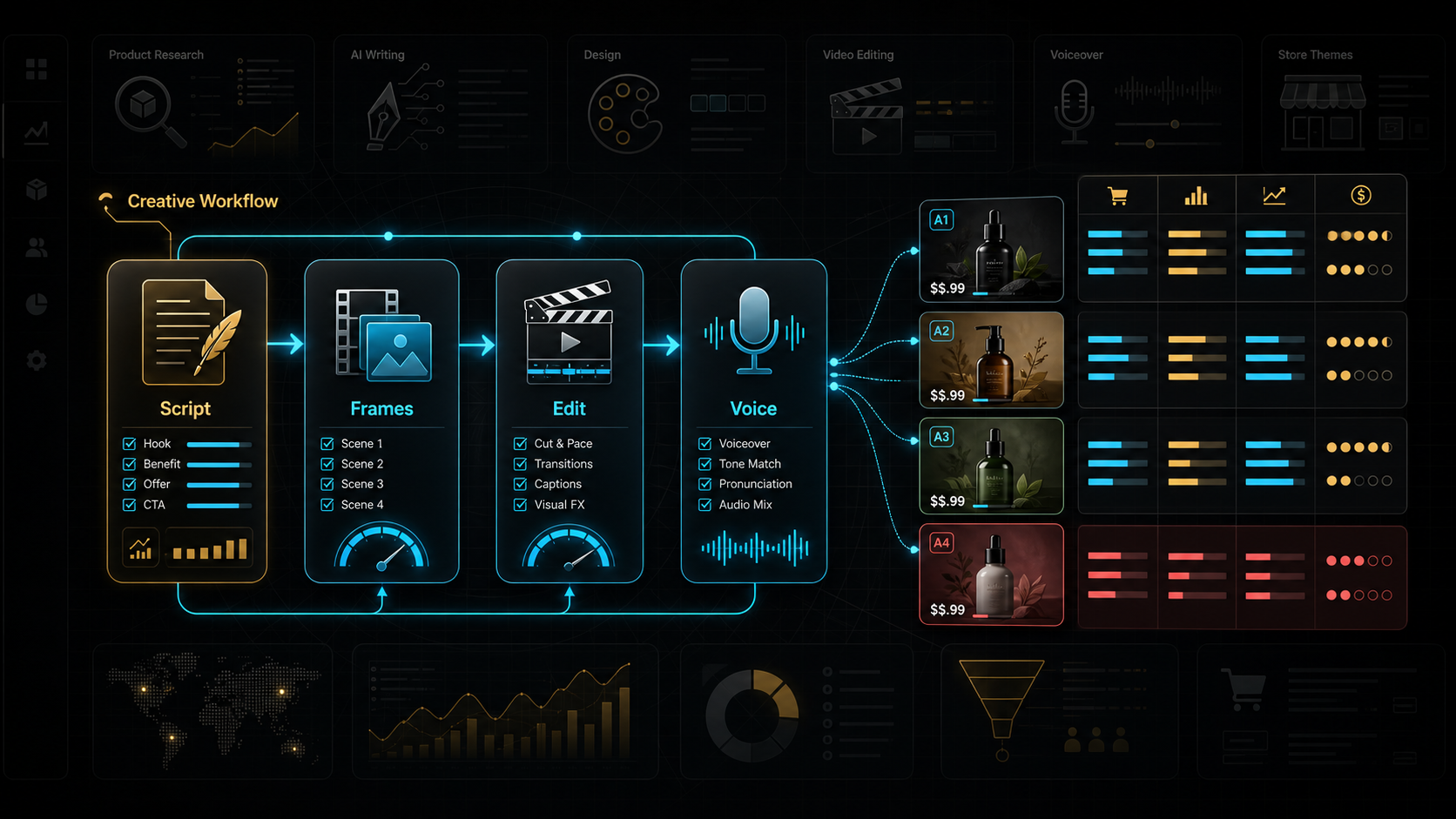
Stop treating AI creative as one prompt. Treat it as an assembly line, where each station does one job and hands a finished part to the next. Four stations, four tools, and every one of them lives inside a single Ecom Tools subscription, so you are not stitching five separate bills together to run it.
| Step | Job at this step | Tool | Standalone price |
|---|---|---|---|
| 1. Script | Write the hook, the beats, and five variant openers | ChatGPT Plus or Claude Pro | $20/mo each |
| 2. Frames | Design the scroll-stopping opening frame and captions | Canva Pro | ~$15/mo |
| 3. Edit | Cut the video, sync captions, export native vertical | CapCut Pro | ~$19.99/mo (web) |
| 4. Voiceover | Generate a lifelike voice track with real pacing | ElevenLabs | ~$22/mo (Creator) |
Prices are illustrative, based on published retail tiers, and vendors change them often, so verify current pricing before you rely on it. Note the order, because the order is the mechanism. Script first, because everything downstream serves the script. Frames second, because the visual has to carry the hook the script wrote. Edit third, because the cut is where captions and pacing turn raw parts into an ad. Voice last, because you voice the final script, not a draft you will rewrite. Do it out of order and you redo work. Do it in order and each step locks before the next begins.
Why two AI models at step one, Because they have different strengths. ChatGPT Plus is the fast all-rounder for punchy hooks and quick variant spins. Claude Pro handles long context well: paste a wall of real customer reviews and ask it to mine the exact phrases buyers use, then write hooks in their words. You do not need both. Having both means you pick the right one per job. For the full breakdown of what else sits in the bundle, see what is included in Ecom Tools.
The loop, step by step
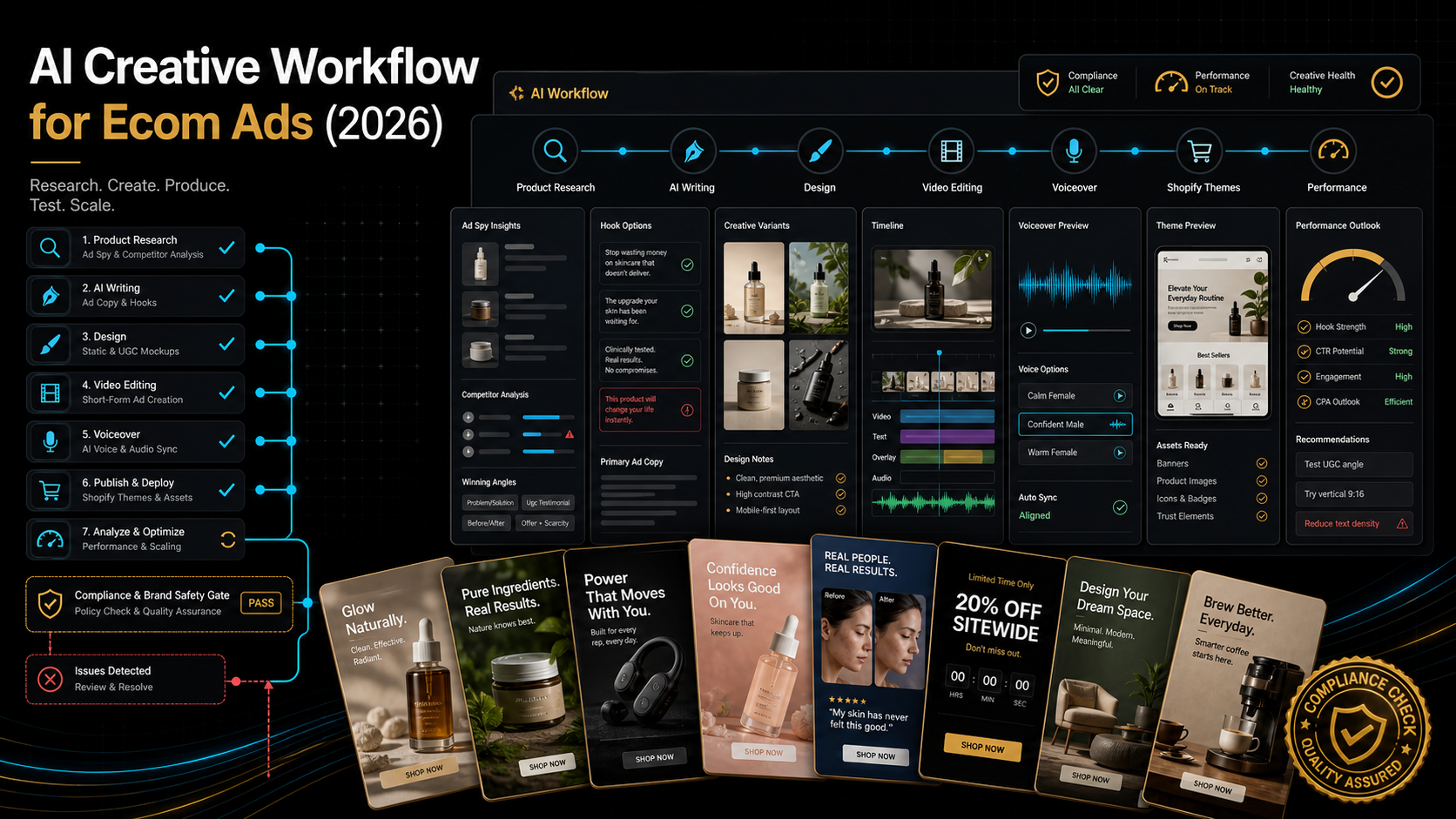
Here is the pipeline as a repeatable sequence. Run it start to finish on one validated product. If the product is not validated yet, stop and run the product validation checklist first, because the best creative in the world cannot sell a product nobody wants.
- Feed the model the raw material. Open ChatGPT or Claude. Paste the product page, the top three competitor ad transcripts, and a block of real customer reviews. Ask it to list the top five pains and the top five desires in the customer's own language. This is the well every hook draws from.
- Write one core script, then five hooks. Ask for one 30-second UGC-style script using the template below. Then ask for five alternative opening hooks that all lead into the same body. You now have one body and five ways in.
- Design three opening frames in Canva Pro. The first frame is the filter. Build three: one bold text-on-image pattern interrupt, one lifestyle shot with a caption overlay, one problem-state close-up. Match every frame to the vertical feed dimensions natively.
- Generate the voiceover in ElevenLabs. Paste the final body script. Pick a voice that fits the brand, generate, then listen. Regenerate the lines that land flat. Real pacing is the difference between a human read and a robot read, and this is where you buy it back.
- Cut it in CapCut Pro. Drop the voiceover, layer the b-roll or product footage, and sync captions to every word, because most of your audience watches muted. Add subtle motion in the first frame. Export vertical, native, no watermark.
- Batch the variants. Now duplicate. Swap in each of the five hooks over each of the three opening frames, holding the body constant. That matrix is your test set, and it is where the number comes from.
- Review before you ship. Read every script for a false claim or a hallucinated stat. Confirm the disclosure and platform-label requirements below. Then, and only then, upload.
The UGC-style ad script template
This is the template to hand the model at step two. It is the structure most short-video ecommerce ads share, broken into timed beats. Fill the brackets, keep the rhythm, and never write a claim you cannot back.
Hook (0 to 3 seconds): a pattern interrupt that names the outcome or the pain. Example: "I almost returned this until someone showed me the right way to use it."
Problem (3 to 8 seconds): the specific frustration the product ends. Example: "I was spending twenty minutes every morning on [task] and it never came out right."
Product intro (8 to 14 seconds): the turn. Example: "Then I found [product], and honestly I did not expect it to work."
Demonstration (14 to 22 seconds): show it working, one clear benefit on screen. Example: "You just [action], and look, [visible result] in seconds."
Proof (22 to 27 seconds): a real, verifiable reason to trust. Only true numbers here. Example: "Read the reviews, people are obsessed."
Call to action (27 to 30 seconds): one clear next step. Example: "Tap the link and try it, there is a guarantee if it is not for you."
Two rules bolted onto this template, and they are not style notes, they are legal ones. First, the proof beat must be true. Do not let the model invent "50,000 sold this week" or a fake scarcity timer. Fabricated proof is where a fast creative workflow turns into an enforcement problem, and the section on caveats explains exactly why. Second, front-load the hook. Meta's creative guidance treats the first one to three seconds as a filter, not an introduction, and industry analyses report that a strong share of viewers who make it past three seconds keep watching. Warm-up lines are dead weight. Cut them.
The number: 15 test-ready variants per sitting
Here is the arithmetic that makes this pipeline worth building. Five hooks from step two. Three opening frames from step three. Hold the body and voiceover constant, and the matrix is five times three: fifteen distinct, test-ready variants, all from one core script and one recording session.
That is illustrative combinatorial math, not a promise about your output speed, and your real number depends on how fast you work. But the structure is the point. Once the body exists, each new variant costs a swap, not a rebuild. The expensive part, the script and the voiceover, you did once.
Why fifteen and not two, Because the platform rewards volume of genuinely different creative. Meta's own creative best-practice guidance states that campaigns running 10 to 20 variations tend to outperform those running only 2 to 3, because the delivery algorithm has more raw material to find the right message for each viewer. The same guidance warns that diversity beats raw count: five genuinely different approaches teach the algorithm more than fifty near-identical clones. Your fifteen are built to be different on the two levers that matter most, the hook and the opening frame, which is exactly where scroll-stop rate is won or lost.
Run this once a week and the compounding is obvious. Fifteen variants a sitting, one sitting a week, is sixty fresh angles a month against a product. Industry creative analyses consistently tie higher creative velocity to lower cost per acquisition over time. The operator testing two ads a month is not competing on the same field.
What the platforms actually reward
Speed is worthless if the creative ignores how the feed works. The pipeline is built around what the platforms reward, so the output is not just fast, it is native. The load-bearing rules, attributed to their sources:
- The first three seconds are a filter. Per Meta's creative guidance, the opening is where the scroll stops or does not. Build the hook and the frame for that window. Everything after it only matters if the first three seconds earn it.
- Captions are mandatory. Widely cited industry figures put the share of feed video watched without sound in the vast majority. CapCut Pro's caption sync exists for exactly this. No captions, no message.
- Build native per placement. Meta's guidance is explicit that creative built natively for a placement beats the same clip repurposed across formats. Vertical for the vertical feed, every time.
- UGC style wins prospecting. Industry creative analyses report that UGC-style creative tends to outperform polished brand film for cold prospecting on click-through, while polished creative earns its place in retargeting. Your fifteen variants should look native, not like a commercial.
Treat these as well-supported industry guidance, not iron law, and test them against your own account, because your audience and offer are the only benchmark that ultimately decides.
Where to be careful: compliance, disclosure, quality control
This is the honest core, and skipping it is how a fast pipeline turns into a suspended ad account or a fine. AI creative moves fast, and fast is exactly what outruns the review step. Do not let it.
Platform AI-labeling rules. TikTok's AI-generated content policy, published on its own newsroom, requires a visible AIGC label on content with realistic AI-generated or significantly AI-altered visuals or audio. That explicitly includes AI-generated voices, which is to say voice cloning and text-to-speech presented as a real person, the exact output of step four. Notably, AI-assisted text like your script and captions is exempt, but the voiceover is not. For paid content, TikTok's guidance is that the label goes on through Ads Manager plus a visible disclosure. Unlabeled realistic AI content can be auto-labeled, down-ranked, or removed. Label your AI voice.
FTC endorsement and testimonial rules. The binding framework in the United States is the FTC's Endorsement Guides, 16 CFR Part 255. The core principle: AI does not create an exemption. Fabricated reviews, including AI-generated reviews not based on a real product experience, are treated as inherently deceptive under Section 5 of the FTC Act. Translation for this pipeline: never let the model invent a testimonial, a star count, or a "sold out soon" claim that is not true. If you use an AI persona or synthetic spokesperson that reads as human, current FTC guidance points toward disclosing both the commercial relationship and the AI involvement, since one does not cover the other. Verify the current requirements before you scale, because this area is evolving and the specifics matter. When in doubt, disclose, and never fabricate.
Brand and quality control. AI hallucinates. It will confidently write a spec your product does not have, a claim you cannot support, or an off-brand line. The human review step at the end of the loop is not bureaucracy, it is the thing standing between you and a false-advertising complaint. Read every script. Listen to every voiceover for the line that sounds robotic on the emotional beat. QC is the price of speed, and it is cheap.
The shared-account reality. The four tools in this pipeline come through Ecom Tools as a group-buy: shared credentials delivered in a members-only Discord, not vendor accounts in your own name. That carries real strings. You do not own the logins, licensing sits in a grey zone with the original vendors, and access to any single tool can change if a vendor's terms shift. The group-buy licensing and account-risk guide covers exactly what can go wrong and how to hedge it. Know what you are renting.
Outcomes vary, and the tools do not decide for you. This pipeline makes creative faster. It does not make bad creative good, and it does not pick your winner. A validated product, a real hook, and disciplined testing still do the work. Access to four tools is not access to a result.
The buyer math
Run the creative pipeline as its own stack, bought separately, at the entry tiers a solo operator would pick.
| Tool | Step | Standalone price |
|---|---|---|
| ChatGPT Plus | Script | $20/mo |
| Claude Pro | Script | $20/mo |
| Canva Pro | Frames | ~$15/mo |
| CapCut Pro | Edit | ~$19.99/mo (web) |
| ElevenLabs | Voiceover | ~$22/mo (Creator) |
| Subtotal | ~$96.99/mo |
That subtotal is illustrative, based on published retail prices; verify current pricing before you rely on it. Just the five creative tools clear ninety-plus dollars a month. The full Ecom Tools bundle, which also carries ad-spy and revenue-tracking tools on top of these five, is $29.99 a month. The creative pipeline alone more than justifies the subscription, and the research tools that feed it are the rest of the case. For the complete side-by-side, the Ecom Tools worth-it review runs the whole argument.
Who this is for, and who should close this tab
This is you if: you run paid social for a store and your creative testing is bottlenecked by cost or time. You need volume and variety, you are comfortable owning the compliance review, and you would rather spend $29.99 to test the whole creative stack than $97 a month to assemble it piece by piece.
Close this tab if: you need vendor accounts in your own name with guaranteed uptime and escalation support, or your brand cannot use AI voices and synthetic creative for legal or positioning reasons. If a paused shared login would break a live campaign, own the account outright. A group-buy is the right foundation for breadth and experimentation, and the wrong one for a single mission-critical dependency.
The verdict
| Run this pipeline if | Do it another way if |
|---|---|
| You need creative volume and variety cheaply | You need in-your-name accounts with guaranteed uptime |
| You will own the human QC and compliance step | Your brand cannot use AI voices or synthetic creative |
| You accept shared group-buy access for the savings | A paused shared login would break a live campaign |
| You want to test 10-plus angles a week | You test two evergreen creatives and rarely refresh |
AI ad creative is not cheap because it is AI. It is cheap when the operator skips the craft and blames the robot. The pipeline puts the craft back: a real hook written from real customer language, a frame built to stop a thumb, a cut with captions for the muted majority, and a voice with human pacing. Four steps, four tools, one subscription, fifteen variants a sitting. The speed is real. So are the disclosure rules and the QC tax, and honoring both is what separates a scaling account from a suspended one. If you want to see how this creative stage plugs into the full build, the store launch workflow on a bundled stack maps the whole line.
FAQ
What is the exact AI creative workflow for ecommerce ads?
Four ordered steps. Write the script and five hook variants in ChatGPT Plus or Claude Pro. Design three opening frames and captions in Canva Pro. Generate the voiceover with real pacing in ElevenLabs. Cut, caption, and export native vertical in CapCut Pro. Then batch the hooks and frames into a variant matrix and review every one before shipping. All four tools sit inside one Ecom Tools subscription.
Do AI ads actually convert, or do they just look cheap?
Cheap AI ads look cheap because of skipped craft, not because AI made them: raw voice, generic frames, no captions, wrong format, no review. Fix those and AI creative competes with anything, because the platform rewards the hook, the native format, and the volume of genuinely different variants, not who or what pressed the buttons. Test it against your own account, which is the only benchmark that decides.
Do I have to disclose that my ad was made with AI?
Often, yes. TikTok's AI-generated content policy requires a visible AIGC label on realistic AI-generated voices and visuals, including the voice cloning and text-to-speech from step four, though AI-assisted script and captions are exempt. In the United States, the FTC's Endorsement Guides treat fabricated or AI-generated reviews not based on real experience as deceptive, and point toward disclosing AI involvement where a synthetic endorser reads as human. Verify the current rules for your platforms and never fabricate proof.
How many ad variants should I test at once?
Meta's creative guidance suggests campaigns with 10 to 20 genuinely different variations tend to outperform those with 2 to 3, because the algorithm has more to test. This pipeline is built to hit that: five hooks times three opening frames yields fifteen variants from one core script, which is illustrative combinatorial math, not a fixed output rate. Diversity beats raw count, so make the fifteen genuinely different on the hook and the frame.
Are these AI tools included in Ecom Tools or do I buy them separately?
ChatGPT Plus, Claude Pro, Canva Pro, CapCut Pro, and ElevenLabs are all included in the Ecom Tools bundle as shared group-buy access delivered through Discord, for $29.99 a month. Bought separately at entry tiers, those five run roughly $96.99 a month (illustrative, based on published retail prices; verify current pricing). The trade-off is shared credentials versus accounts in your own name, so weigh the licensing risk before you build a process around one specific tool.
The decision filter
If you run paid social, your testing is throttled by creative cost, and you can own the compliance and QC review yourself, start on the Pro plan and run the pipeline against one product this week: Ecom Tools Pro, $29.99/month. If you would rather commit once, the Lifetime plan is $499 one-time. If you need one creative tool in your own name with guaranteed uptime and support you can escalate, buy that tool direct and skip the bundle. Match the tool to the job, and the choice makes itself.