Product research glossary: 30 terms every beginner needs
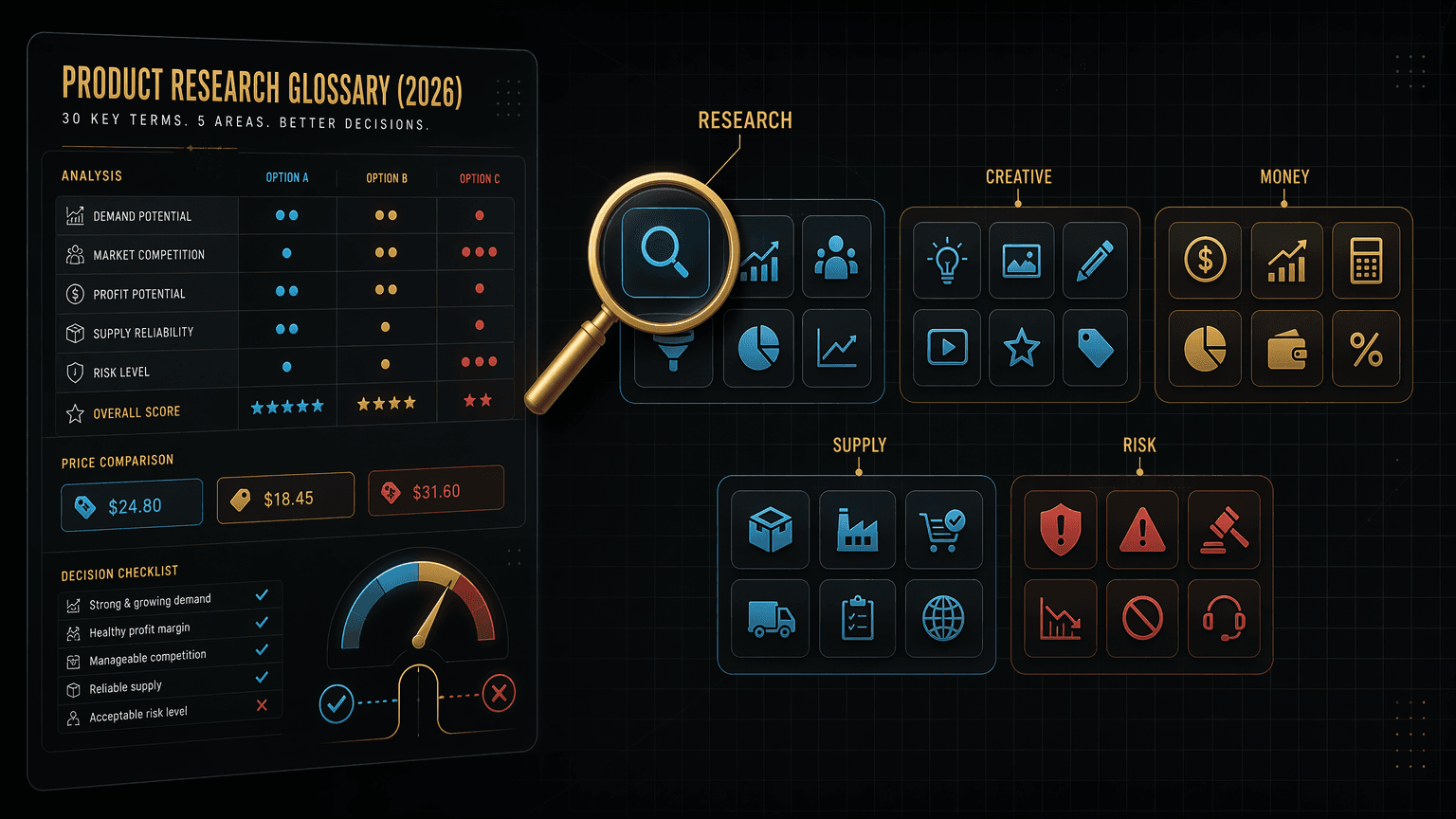
Product research glossary for beginners: 30 ecommerce and dropshipping terms, from winning product to break-even ROAS, that quietly decide which launches win.
The word you skipped is the reason your last launch lost money. Here are the 30 terms that decide which products win, defined plainly, with the one number that settles it: 30.
By Maxime Yao, research editor | Published 2026-07-17
You watched the video. You found a product. You launched. It flopped, and you could not say why, because you did not have the words to see the problem. That is not a skill gap. It is a vocabulary gap, and it is expensive.
Here is the lie the gurus sell you: you can skip the vocabulary and just start. Just pick a product. Just run an ad. Just learn as you go. It sounds kind. It sounds fast. It is how beginners torch a budget on a saturated product with a 1.4x break-even ROAS they never calculated, then blame the algorithm. The words are not decoration. Each one is a lever that moves real money, and not knowing a term does not make its cost go away. It just makes the cost invisible until the card statement lands.
So here are the 30 terms that actually decide launches, grouped into the five decisions you make on every product: what to sell, how to make it convert, whether the math works, how to get it to the door, and what erodes the profit after the sale. Plain definition. Why it matters in one line. And, where it applies, which tool inside a bundle like Ecom Tools touches that term, so the word connects to the button you press. Read it once and the next flop will at least tell you its name.
- The one number: 30 terms, grouped into research, creative, money, supply, and risk. Learn these and you can read any product like an operator, not a tourist.
- The lie: "you can skip the vocabulary and just start." You can start. You just cannot see what is killing you.
- The fix: the 30 words below turn invisible losses into named, fixable numbers, before you spend, not after.
- The tool link: a group-buy bundle like Ecom Tools pools the paid research and creative tools (PipiAds, ShopHunter, KaloData, Canva Pro, CapCut Pro, ElevenLabs, ChatGPT Plus, Claude Pro) behind these terms, via shared Discord-delivered access, for $29.99 a month. Cheaper than the stack, with real strings attached. Both facts matter.
- The proof: 7,887 joined on Whop, 4.8 stars from 182 verified reviews, 92% five-star.
The lie: you can skip the vocabulary and just start
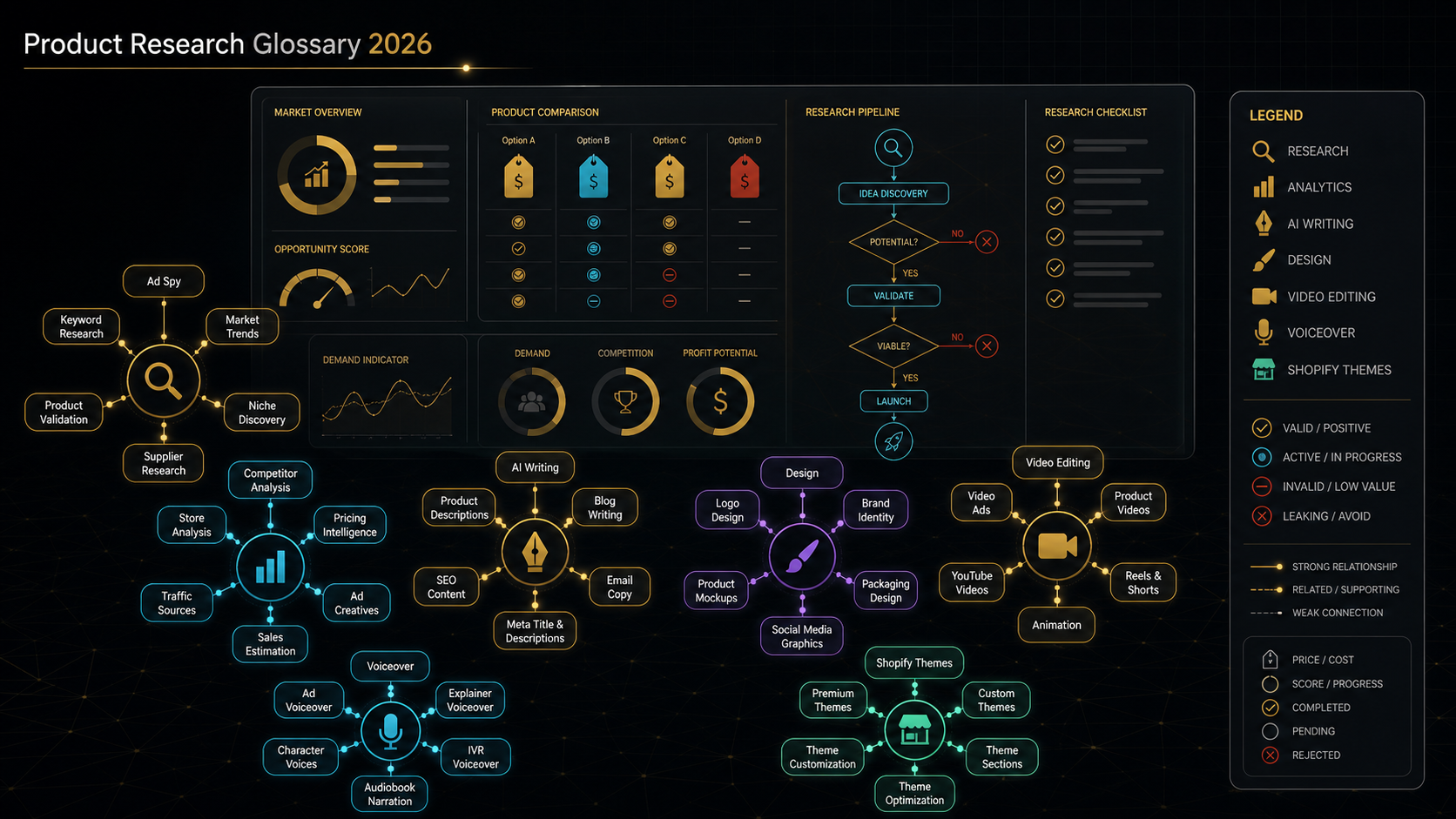
The advice is everywhere because it converts. "Stop overthinking, just launch" gets more views than "learn what break-even ROAS means first," so that is what gets made. And there is a grain of truth in it: analysis paralysis is real, and no glossary sells a product for you. But the pitch quietly swaps one true idea for a false one. True: do not wait for perfect knowledge to act. False: you do not need the knowledge at all.
Watch what the gap actually does. A beginner who does not know saturation pours money into a product that ten thousand other sellers already ran to death. A beginner who does not know margin scales a product that loses two dollars on every sale and calls the growing revenue a win. A beginner who does not know break-even ROAS stares at a 2.0 return, feels good, and never notices the campaign is underwater because their margin needed a 2.6. None of these are exotic mistakes. They are the default outcome of starting without the words, and they all share one feature: the buyer cannot see the loss, because they do not have the term that names it.
The fix is not a course. It is a vocabulary. Thirty terms, each one a lens that makes a specific loss visible before it happens. You do not need to memorize them. You need to recognize them, so that when a product has a $30 CPA and a $28 margin, a bell rings. That bell is the whole game. The rest of this piece is thirty bells.
How to read the glossary
Each term below gets three things: a plain definition, a one-line reason it decides money, and the bundle tool that touches it when a tool is relevant. Not every term maps to a tool, and I have left those honest: some of these are spreadsheet math or supplier conversations, not software. Where a tool does apply, remember what a group-buy bundle actually is. You are reaching the tool through shared credentials the operator maintains, not through an account in your own name. Great for learning the terms cheaply. Not the same as owning the stack. More on that below the tables.
Group 1: research and demand (what to sell)
This is where launches are won or lost, before a dollar of ad spend. Get the product wrong and no creative, margin, or hustle saves it. These six terms are how you separate a proven bet from a pretty gamble. The product validation checklist turns them into a step-by-step screen.
| Term | Plain definition | Why it decides money | Bundle tool that touches it |
|---|---|---|---|
| Winning product | A product with proven demand, healthy margin, and ad creative that already converts for someone else. | Chasing products that look cool instead of ones that already sell is the fastest way to burn a first budget. | ShopHunter shows which stores are actually moving it; PipiAds shows the ads already working. |
| Saturation | How many sellers and ads are already pushing the same product to the same audience. | A saturated product can still win, but only with sharper creative and margin. High saturation plus thin margin is a trap. | PipiAds ad volume and run dates hint at how crowded the space already is. |
| Ad spy | Researching competitors' live ads, spend signals, and creative angles with a spy tool instead of guessing. | It turns "I think this could work" into "this exact ad has run 60 days, so it makes someone money." | PipiAds is the bundle's TikTok and Facebook ad-spy engine. |
| Product validation | The checks that prove demand before you spend: search interest, competitor sales, ad longevity, and margin math. | Validation is the line between a tested bet and a gamble with your rent. | ShopHunter and KaloData for sales signals; ChatGPT Plus or Claude Pro to pressure-test the offer. |
| Market demand | How many people are actively searching for or buying this product right now. | No demand, no sales, no matter how good the ad. Demand is the one thing you cannot manufacture. | KaloData for TikTok Shop demand and trending products. |
| Sell-through rate | The share of stock that actually sells in a period: units sold divided by units available. | High sell-through means demand is real and cash is not frozen in dead inventory. | ShopHunter-style sales tracking to estimate how fast competitors move stock. |
The ad-spy row is the one beginners underrate most. Seeing an ad exist is not proof it works. Seeing an ad run for two months is, because nobody pays to run a losing ad that long. What ad-spy data does and does not prove is worth its own read: see what ad spy data actually proves before you trust a screenshot.
Group 2: creative and traffic (how to make it convert)

Same product, different creative, ten times the result. The product gets you in the game; the creative decides whether you score. These six terms are the ones that separate an ad that stops the scroll from one that burns spend into silence.
| Term | Plain definition | Why it decides money | Bundle tool that touches it |
|---|---|---|---|
| Creative angle | The specific reason-to-buy a piece of content leads with: a problem, an identity, a price, a novelty. | The angle sells, not the product. One product with five angles is five different businesses. | PipiAds to spot winning angles; ChatGPT or Claude to script new ones; Canva and CapCut to build them. |
| Hook | The first one to three seconds of an ad that stops the scroll. | If the hook fails, nothing after it is seen. Most ad money dies in the first three seconds. | CapCut Pro to cut hooks fast; PipiAds to study hooks already working. |
| UGC | User-generated content: ad footage that looks like a real customer filmed it, not a brand. | It out-converts polished brand ads on TikTok because it does not read as an ad. | CapCut Pro plus ElevenLabs voiceover to produce UGC-style creative at volume. |
| Organic vs paid | Free traffic you earn (posts, SEO, TikTok reach) versus traffic you buy (ads). | Organic is slow and cheap; paid is fast and expensive. Which one you run changes every other number. | Your own posting; PipiAds reveals the paid side of what competitors run. |
| TikTok Shop | TikTok's in-app storefront where content and checkout live in one place. | It collapses discovery and purchase into one tap, which changes how products go viral and sell. | KaloData is built for TikTok Shop product, creator, and sales analytics. |
| Hook rate | Also called thumbstop rate: the share of viewers who watch past the first roughly three seconds. | The earliest clean signal a creative will work, before spend has to prove it the hard way. | Your ad platform reports; PipiAds for competitor creative benchmarks. |
Notice how many creative terms point at the same two or three tools. That overlap is the whole case for a bundle at this stage: you are not sure yet which creative tool you will live in, so renting all of them cheaply to find out beats buying one at full price and guessing. The AI creative workflow guide shows how the writing, voice, and editing tools chain into one ad.
Group 3: money and unit economics (whether the math works)
This is the group beginners skip and pros never do. Every term here is a number, and together they answer one question: does this product make money or just noise, If you learn only one group, learn this one. For the metrics that matter after the sale, the ecommerce analytics metrics glossary goes deeper on the reporting side.
| Term | Plain definition | Why it decides money | Bundle tool that touches it |
|---|---|---|---|
| AOV | Average order value: total revenue divided by number of orders. | Raise AOV and you can afford to pay more per customer than competitors. It is the quiet lever behind most scaling. | Your store analytics; ChatGPT or Claude to model bundle and upsell math. |
| Gross margin | Revenue minus the cost of goods, shown as a percent. | Thin margin means ads eat the profit. Margin decides whether a winning product is winnable for you. | Spreadsheet math; an AI model to compute it fast from your numbers. |
| CPA (CAC) | Cost per acquisition, or customer acquisition cost: ad spend to get one paying customer. | If CPA sits above your margin, you lose money on every sale while feeling busy. | Your ad platform; validation upstream to avoid scaling a loser. |
| ROAS | Return on ad spend: revenue divided by ad spend. A 3.0 means three dollars back per dollar in. | The headline efficiency number, but meaningless without margin next to it. | Your ad platform dashboard. |
| Break-even ROAS | The ROAS where you neither make nor lose money, set by your margin: roughly one divided by your margin. | This single number tells you if a campaign is profitable or just loud. Most beginners never calculate it. | ChatGPT or Claude to compute it from your margin in seconds. |
| Contribution margin | What is left from a sale after all variable costs: product, shipping, payment fees, and ad cost. | The real per-order profit, the number that actually pays your rent. Revenue lies; this does not. | Spreadsheet math; an AI model to build the formula. |
Read the break-even ROAS row twice. It is the most common invisible loss in ecommerce. A beginner sees a 2.2 ROAS and celebrates. But if the product carries a 35% margin, break-even sits near 2.9, so that celebrated 2.2 is quietly bleeding cash on every order. The number felt like a win. It was a slow leak. The word is the only thing that would have caught it.
Group 4: supply and fulfillment (getting it to the door)
Marketing gets the order. Supply keeps the promise. These six terms decide your upfront cash risk and whether you can actually deliver when a product hits. Beginners obsess over ads and ignore this group until a viral spike arrives and they have no stock. For the full launch sequence, see the store launch workflow.
| Term | Plain definition | Why it decides money | Bundle tool that touches it |
|---|---|---|---|
| COGS | Cost of goods sold: the direct cost to source or make one unit. | Every margin and break-even number starts here. A wrong COGS poisons every decision downstream. | Supplier quotes; not a software number. |
| MOQ | Minimum order quantity: the smallest batch a supplier will produce or sell per order. | MOQ sets your upfront cash risk. A large MOQ on an unvalidated product is how beginners go broke. | Supplier negotiation; validate demand first. |
| Private label | Putting your own brand on a generic manufactured product. | It lifts margin and defensibility, but adds MOQ, lead time, and inventory risk. A bigger bet, not a free one. | Canva Pro for branding and packaging design. |
| POD | Print on demand: products made only after a customer orders, with no upfront inventory. | Near-zero inventory risk and no MOQ, traded for thinner margin and slower shipping. The low-risk on-ramp. | Canva Pro for designs; the 140+ Shopify themes for the storefront. |
| Supplier lead time | The time from placing a restock order to receiving the stock. | Underestimate it and you sell out mid-launch or stock out during the exact viral spike you wanted. | Supplier communication; not a software number. |
| 3PL / fulfillment | A third-party logistics company that stores your inventory and ships your orders. | It trades margin for speed and scale. The wrong 3PL tanks delivery times and, with them, your reviews. | External provider; outside the bundle. |
Half this group is honestly not a software problem, and I am not going to pretend a bundle solves it. COGS, MOQ, and lead time are conversations with a supplier and arithmetic on a page. The tools help you decide what to sell and how to sell it. They do not negotiate your factory terms. Knowing which problems software can and cannot touch is itself part of the vocabulary.
Group 5: risk and retention (what erodes the profit)
The sale is not the finish line. Refunds, disputes, dead stock, and churn quietly delete profit you already counted as won. These six terms are the ones that separate revenue from money kept. The external benchmarks here are industry estimates, named and dated, not Ecom Tools numbers.
| Term | Plain definition | Why it decides money | Bundle tool that touches it |
|---|---|---|---|
| Refund rate | The share of orders refunded or returned. | Refunds silently delete profit you already booked. Industry estimates put online returns near one in five orders (NRF reported about 19.3% for 2025, with some sources higher), so model it, do not ignore it. | Your store analytics. |
| Chargeback | When a customer disputes a charge with their bank instead of asking you for a refund. | You lose the product, the revenue, and a fee, and too many can freeze your payment processor. Card networks treat rates near the 1% mark as excessive; industry averages sit far lower (Sift reported roughly 0.26% in Q3 2025). | Your payment processor dashboard. |
| LTV | Customer lifetime value: total profit one customer brings across all their orders. | High LTV lets you outspend competitors to acquire. Optimizing only the first order leaves the real money on the table. | Store analytics; an AI model to project it. |
| RFM | Recency, frequency, monetary: a model scoring customers by how recently, how often, and how much they buy. | It shows who to re-target and who is about to churn, which is cheaper than finding new buyers. | Your analytics or email platform. |
| Dead stock | Inventory that is not selling and has tied up your cash. | Money frozen on a shelf, plus storage cost. It is the hidden bill for skipping validation. | Sell-through tracking to catch it early. |
| Ad account ban | A platform suspending your ad account, often mid-scale. | It can cut your revenue overnight. Policy-compliant creative and warmed accounts lower the odds, they do not remove them. | Platform policy; outside the bundle. |
The refund and chargeback rows carry the external numbers, and I have hedged them on purpose. Return rates vary wildly by category, apparel runs far higher than electronics, and chargeback rates depend on your niche and processor. Treat those figures as directional benchmarks to plan around, not promises about your specific store. Verify against your own data once you have it.
Where a bundle fits, honestly
Notice the pattern across five tables: tools cluster hard in research and creative, thin out in money, and mostly disappear in supply and risk. That is the honest map of what a group-buy bundle like Ecom Tools actually does for a beginner. It compresses the expensive part, the research and creative software you would otherwise stack up one subscription at a time, into one $29.99 monthly fee with PipiAds, ShopHunter, KaloData, Canva Pro, CapCut Pro, ElevenLabs, and two AI models behind it. For learning these terms with real tools instead of screenshots, that is a genuinely cheap classroom. What is inside the current catalogue is broken down in what is included in Ecom Tools.
Now the strings, because a glossary that hides them is just an ad. These are the caveats that decide whether the bundle fits you, and they are the honest core of the deal.
- Shared access, not ownership. The tools reach you through credentials the operator maintains and delivers via Discord, not accounts in your own name. Fine for learning and testing. Not the same as owning your own PipiAds or Canva login with private, portable history.
- Licensing and terms-of-service risk. Group-buy access sits in a grey zone with the original vendors. Some tolerate shared accounts, some do not, and access to any single tool can pause or change if a vendor cracks down. The savings exist because of this risk, not despite it.
- Outcomes vary, and no tool is a result. PipiAds finds ads. It does not pick your winner. KaloData shows demand. It does not run your store. These thirty terms and the tools behind them are leverage, and the work stays yours.
- Verify the current tool list. A bundle catalogue moves as vendor deals shift. The operator's own Whop description says 16+ tools. Confirm the live list at checkout rather than trusting any list, including this one, months from now.
- The operator is semi-anonymous. Ecom Tools is run by a founder known in Whop reviews only as "Rony," who joined Whop in July 2023. There is no public surname, bio, or company entity. The reviews are strong and specific, but you are trusting a first name and a track record, not a registered corporate vendor.
None of that kills the deal. It prices it. If the terms in this glossary are new to you, a cheap shared-access bundle is a reasonable way to learn them with the real tools before you commit to owning any single stack. If you already depend on one specific tool for a live business, the ownership and support gap matters more, and buying that tool direct may be the smarter call.
What real members say
Treat these as evidence from the Whop review page, not promises. The listing carries 4.8 stars from 182 verified reviews, 92% of them five-star, across 7,887 joined.
"The variety of tools available here on ecom-tools is unbelievable & no other tool provider is giving such fine services & customer support" Zain Khan (@zain60912)
"Great selection of tools and fastest support I have ever seen" Somira (@somiraa)
"Very convenient and helpful, they got the best and fastest support" Milad Massalha (@massalha)
The recurring word is support, and for a shared-access bundle that is the right thing to stress-test. When a shared login hiccups, response speed is the difference between an afternoon lost and a week lost.
FAQ
Do I really need to learn these terms before I start?
You can start without them. You just cannot see what is killing you. The 30 terms are lenses that make specific losses visible, saturation, thin margin, an underwater break-even ROAS, before you spend, not after. You do not need to memorize them. You need to recognize them so a bell rings when a product's CPA is higher than its margin.
Which of the 30 terms matter most for a beginner?
The money group: AOV, gross margin, CPA, ROAS, break-even ROAS, and contribution margin. Most beginner losses are invisible math, not bad products. Learn to compute break-even ROAS from your margin and you will kill more losing campaigns before they drain you than any other single skill on this list.
What is the difference between ROAS and break-even ROAS?
ROAS is what you got back per dollar of ad spend. Break-even ROAS is what you needed to get back just to not lose money, and it is set by your margin, roughly one divided by your margin. A 2.2 ROAS looks like a win until you learn your margin required a 2.9. The gap between the two is where profit lives or dies.
How does a tool bundle like Ecom Tools relate to this glossary?
The research and creative terms map to specific paid tools: ad spy to PipiAds, sales tracking to ShopHunter, TikTok Shop demand to KaloData, creative to Canva Pro, CapCut Pro, and ElevenLabs, and validation math to ChatGPT Plus or Claude Pro. A group-buy bundle pools those behind one $29.99 monthly fee through shared Discord-delivered access. It is a cheap way to learn the terms with real tools, with the shared-account and licensing caveats above.
Is there a free Access pass or refund on the bundle?
Current verified facts do not show a Pro plan. Use the free Access pass to look around first, then verify the paid plan at checkout. Refund terms are not published by the operator, so review Whop's current refund policy at checkout before you pay, not after.
The decision filter
If these 30 terms are mostly new to you and you want to learn them with the real research and creative tools rather than screenshots, the cheapest classroom is a shared-access bundle you can test for a month. Start on the Pro plan and test the fit: Ecom Tools Pro, $29.99/month. If you would rather commit once, the Lifetime plan is $499 one-time. If you already know these words and depend on one specific tool for a live business, buy that tool direct, own it, and skip the bundle for that slot. The vocabulary is the edge. The tools just make it faster. Learn the 30, and your next launch tells you its name before it costs you.